Description
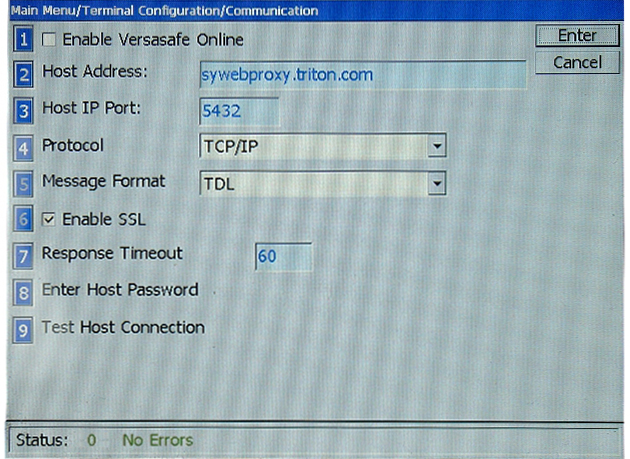
This menu is for those who have VersaLink to monitor the VersaSafe remotely.
To enable VersaLink, press 1 to show a checkmark in the box.
Once enabled, the other selections should be made to set up the VersaSafe to effectively communicate using VersaLink.
4 Protocol: Press 4 to toggle between the two options of TCP/IP or TCP/IP Wireless.
5 Message Format: This is inactive. The default is TDL for Triton Dynamic Language.
6 Enable SSL: This is inactive. SSL is always enabled by default.
Terminal Configuration menu
Main Menu