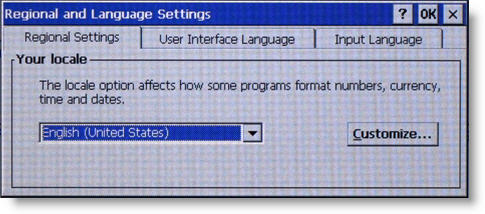
This is where the locale
for your VersaSafe is selected using the arrow keys to scroll forward
or backward through list until the appropriate selection is displayed.
Once the correct locale
is identified, use the Customize function to view the number, currency,
time/date setup for that locale. Use the Clear
key to move the cursor to the Customize
button, then press Enter.
Only some settings in the customized elements may be changed.